

From Loyal User to Creator
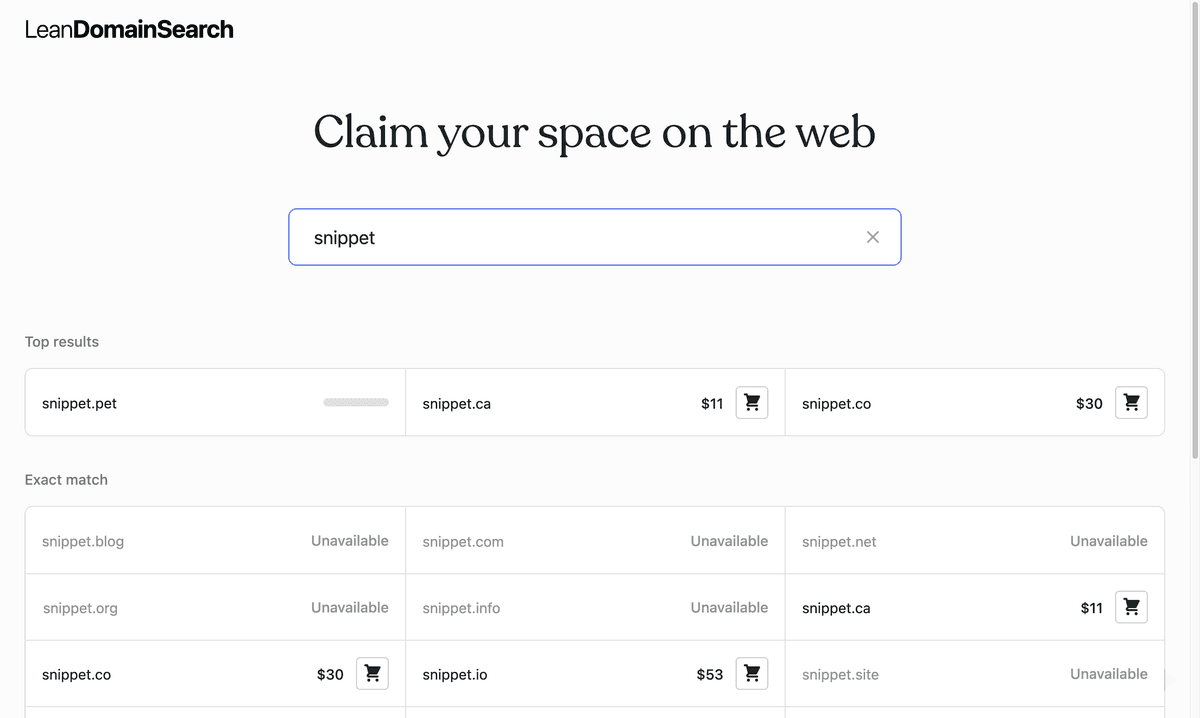
For years, Lean Domain Search was my first stop for every new project. It was a simple tool that worked: you entered a keyword, and it combined it with common prefixes and suffixes to find available domains.
Recently, the site updated for better UX. That's fine, but they removed the exact keyword combination feature I relied on.
Instead of complaining, I spent 30 minutes with an LLM and rebuilt the old logic as a local script. Here's how it works.
How the Lean Domain Search Engine Actually Worked
The creator downloaded the .com zone file and looked at millions of registered domains to find patterns. If people were paying for MySaas.com and SaasCloud.com, he extracted "My" and "Cloud" as modifiers.
This created a list of proven commercial terms—words like get, smart, lab, and hub. People had already spent money registering domains with these words, proving they sounded like real businesses. It's a much better approach than relying on an LLM's imagination.
When you combine your keyword with these proven modifiers, the results actually sound like real companies. When the official tool dropped this feature, I knew exactly what I had to build.
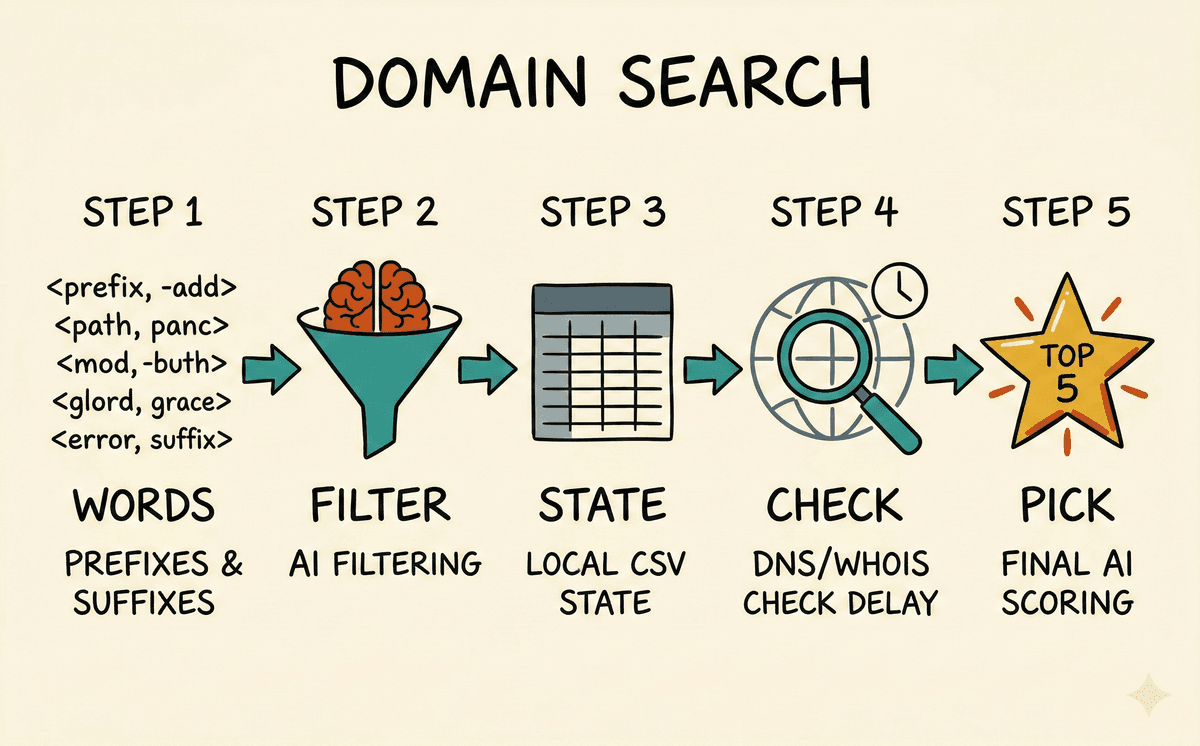
Step 1: Finding the Prefixes and Suffixes
I needed a list of good prefixes and suffixes. Instead of a random dictionary, I found a public list of the top 5,000 most common words used in registered .com domains.
Tech brands use the same words over and over: get, smart, dev, cloud, hub, lab. Using a list derived from actual registrations means you're starting with words that already sound right.
The script is dead simple. It takes my target keyword and loops through the 5,000 modifiers, mashing them together. No AI generation required yet—just a basic string concatenation loop.
Step 2: Filtering the Noise
Combining one word with 5,000 others generates a lot of garbage. First, I added a blocklist to filter out cities, countries, adult terms, and dated words like "fax" or "modem."
But a static list ignores context. This is where I actually used an LLM. Before running the loop, I give an AI my project description and ask it to filter the 5,000 modifiers down to the 100-200 most relevant ones.
If I'm building a developer tool, I don't need to check combinations with fit, gym, or beauty. Using AI as a filter, rather than a simple generator, cuts the list from 5,000 random domains to 200 that actually fit the product.
Step 3: Saving State Locally
The script loops through the filtered modifiers and concatenates them with my keyword (e.g., smartlean.com, leancloud.com).
Instead of just printing them to the terminal, I write them to a CSV file with two columns: domain and status (defaulting to unchecked).
I do this because checking domain availability takes time, and WHOIS servers will rate-limit you. Writing to a CSV lets me stop the script or handle network crashes without losing progress. Since the list is filtered down to a couple hundred rows, it generates instantly.
Step 4: Checking Availability Without Getting Banned
If you ping a WHOIS server 300 times in a row, you'll get IP-banned. To avoid this, the script checks DNS records first. If a domain resolves in Node's dns module, it's definitely registered. This is fast, local, and weeds out about 70% of the list immediately.
However, a domain can be registered but lack active DNS records (like if it's parked). So, if the DNS check fails, the script falls back to a real WHOIS query using the whoiser library to confirm if it's actually available.
[!WARNING] I added a 1.5-second delay between WHOIS checks to avoid getting flagged.
As the script runs, it updates the CSV row by row. If a query hangs or fails, I just restart the script and it picks up at the first unchecked row. When it finishes, I have a list of available .coms.
Step 5: Picking a Winner
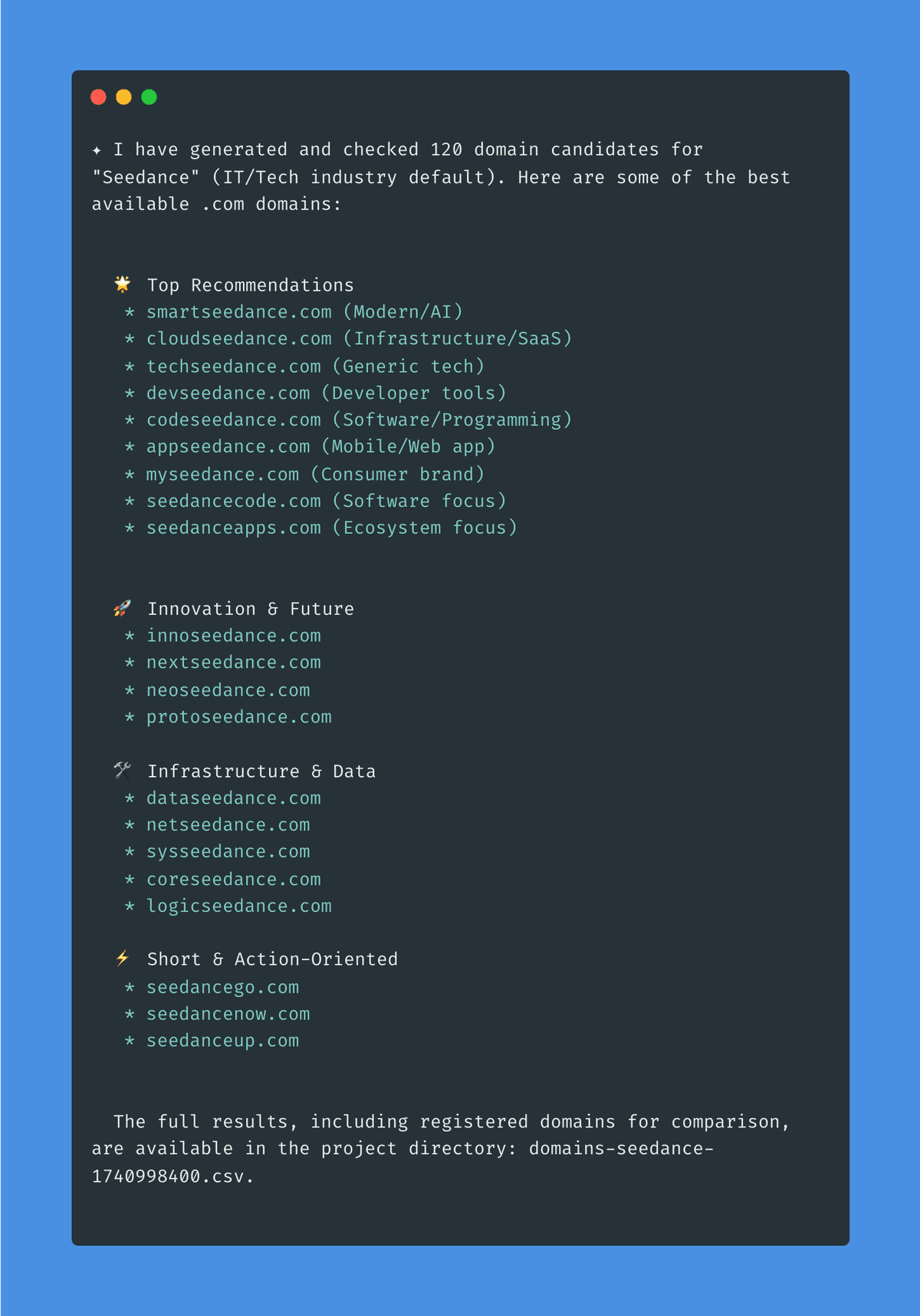
Usually, I'm left with about 40 to 60 available domains. Instead of staring at a spreadsheet, I feed that final list back into the LLM.
I ask the AI to score the remaining domains from 1 to 10 based on how well they fit the original project description, and to output its top 5 picks with a one-sentence reason for each. This gives me a shortlist to look at. I pick my favorite and go register it.
Below is an example for keyword "Seedance":
Why Build This?
It's annoying when a tool you rely on changes its core functionality. But it's also a good excuse to see how it worked.
The logic behind Lean Domain Search wasn't magic, it was just a good list and a loop. By running it locally, I don't have to worry about someone else registering my searches (domain front-running is still a real concern), and I can tweak the filtering however I want.
I ended up wrapping this script into an agent skill, so now I can just ask my CLI to find me a domain whenever I start a new project.
Domain Brainstormer
If you want to be more creative, you can check this Domain Brainstormer skill.
It works differently. Instead of iterating through a static list, you give it a project description and it throws some domain options at you.
Final Thoughts
When a service changes in a way you don't like, you don't always have to accept it. Sometimes you can just build a replacement in half an hour with AI, it is much easier than you think!