ArtCraft
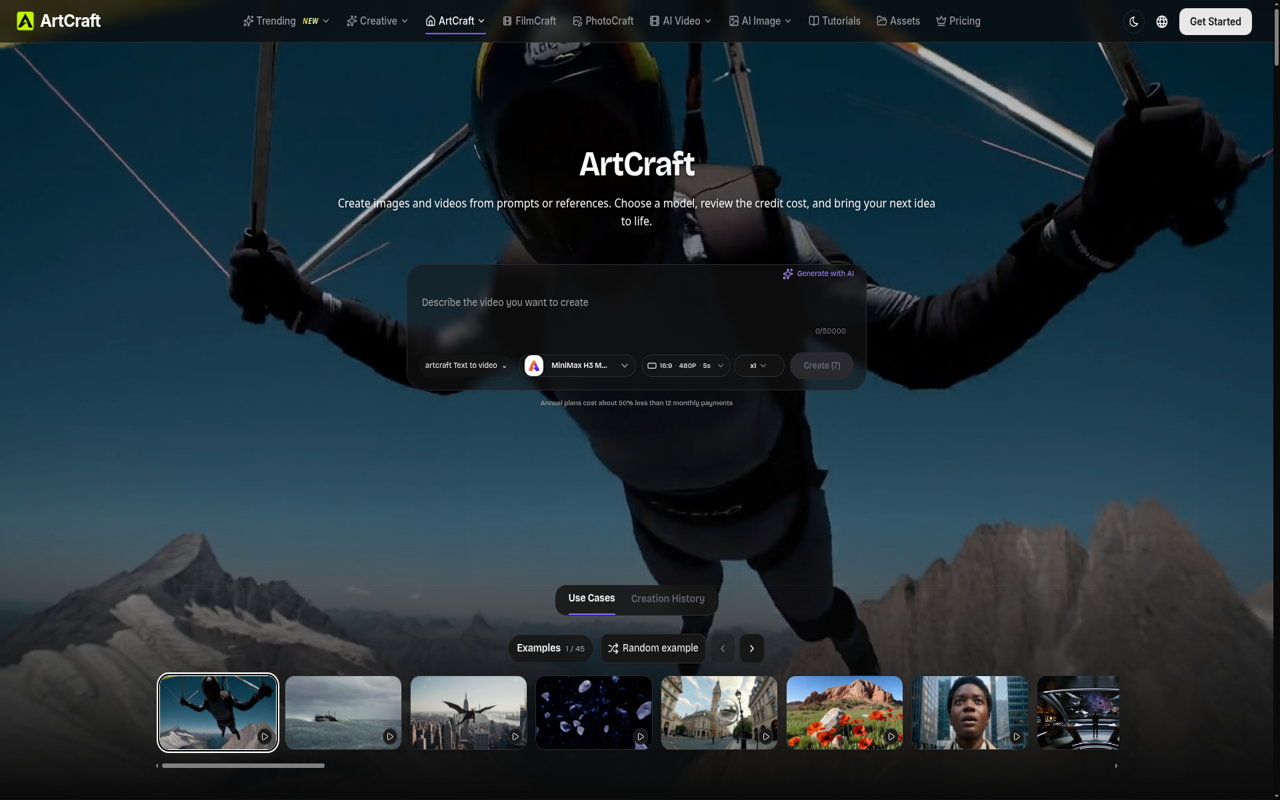
ArtCraft is a creative studio platform for generating, editing, and compositing images, videos, 3D assets, and scenes using multiple AI models.
What is ArtCraft
ArtCraft is a multimodal creative studio platform that integrates generative AI models with visual editing and composition tools. It allows creators to generate, manipulate, and refine digital media across multiple formats, including 2D images, video animations, audio, 3D meshes, and full 3D scene blocking.
Rather than functioning solely as a text-to-media generator, ArtCraft provides dedicated canvas workspaces where users can combine manual creative control—such as layering, masking, character posing, and scene blocking—with connected foundation models for text-to-image, image-to-video, inpainting, and style transfer.
Key Features
- Multimodal Generation: Generate images, video clips, audio tracks, 3D objects, and virtual environments using a unified interface powered by leading generative models.
- 2D & 3D Layer Compositing: Position cutouts, photographic references, painted strokes, and 3D meshes on separate layers without prematurely flattening assets.
- Canvas & Mask Editing: Paint masks and local modifications directly on a canvas to guide regional AI edits and inpainting tasks without re-generating entire compositions.
- 3D Scene Blocking & Kitbashing: Arrange 3D proxy geometries, control lighting and camera angles, and block out spatial environments before rendering final visual frames.
- Character Posing & Identity Transfer: Define character poses and transfer recognizable character identities consistently across multiple shots, storyboard sequences, or animations.
- Video Animation & Generation: Transform static images or prompts into animated sequences with text-to-video, image-to-video, camera control, and lip-sync capabilities.
- Integrated Asset Library & Cloud Storage: Organize reference boards, raw assets, project documents, and generated deliverables within a unified private workspace.
Use Cases
- Concept Art & Visual Development: Concept artists can quickly block out scene layouts, explore lighting setups with 3D kitbashing, and refine rough sketches into production-ready visual concepts.
- Storyboarding & Shot Planning: Filmmakers, animators, and game developers can pose characters, define camera perspectives, and generate consistent sequence frames to map out narratives.
- Marketing & Social Media Creative Production: Marketers and content creators can produce branded visual assets, animated promotional videos, product photography cutouts, and dynamic social content.
- 3D Asset Prototyping: Game designers and digital sculptors can turn 2D visual references into textured 3D meshes and spatial reference objects for downstream DCC workflows.
Frequently Asked Questions About ArtCraft
Which ArtCraft features require credits?
Manual canvas editing, drawing, reference organization, and saving project workspaces do not consume credits. Generative actions—including text-to-image, video generation, 3D mesh synthesis, AI background alterations, and character model training—use credits, with cost estimates quoted prior to execution.
Which AI models are available in ArtCraft?
ArtCraft integrates various third-party and proprietary generative models for image, video, and 3D tasks. Available models depend on connected integrations within each specific workspace, including video models such as MiniMax, Hailuo, Seedance, Wan, and Kling, alongside popular image models.
Can project files and assets be saved for later editing?
Yes. ArtCraft saves editable project documents along with referenced media in user accounts. Projects can be reopened to adjust layers, reposition elements, or apply further edits.
Can generated assets be exported for use in external tools?
Yes. Completed images, videos, audio clips, and 3D models can be exported in standard file formats for use in third-party video editors, 3D suites, game engines, or design software.
Put your product in front of engaged visitors. Get your spot now!
Website
https://artcraft.toolsPublish Date
November 20, 2026