EZ Grader
A modern digital grading tool designed for teachers and students to quickly calculate test scores and letter grades.
What is EZ Grader
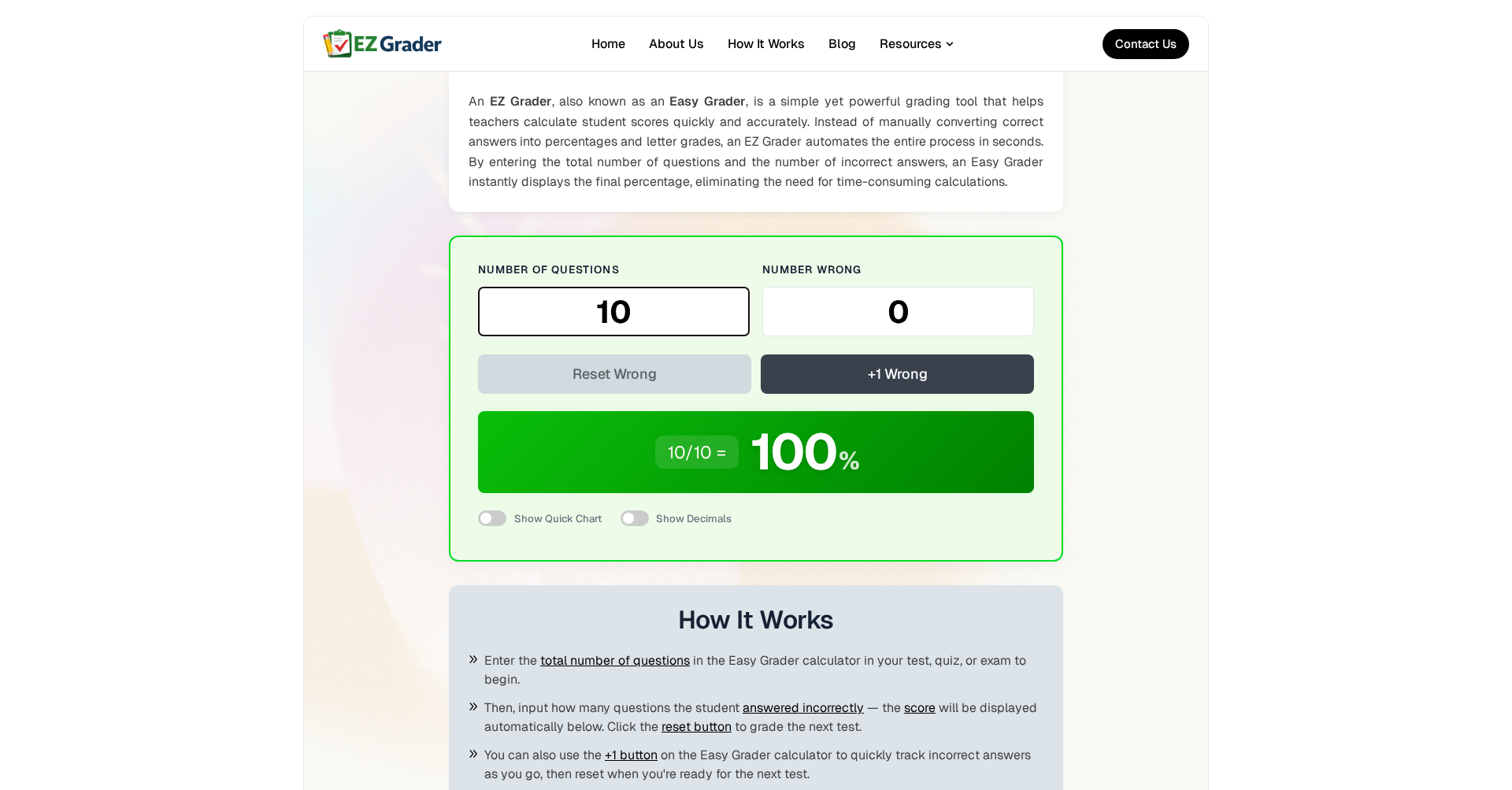
EZ Grader is a powerful and easy-to-use digital grading tool that serves as a modern alternative to traditional physical grade charts. Designed specifically for educators, students, and parents, it simplifies the process of calculating percentage scores and letter grades for any assignment, quiz, or test. With its intuitive interface, you can instantly determine scores by simply entering the total number of questions and the number of wrong answers.
Key Features
- Instant Grade Calculation: Automatically converts question counts into precise percentage scores and letter grades.
- Dynamic Grade Chart: Generates a comprehensive reference table for any number of questions, showing all possible scoring outcomes.
- Customizable Grading Scales: Tailor the percentage thresholds for letter grades (A, B, C, etc.) to align with your specific school or district grading policies.
- Real-Time Updates: Experience immediate feedback as you type, eliminating unnecessary clicks and saving valuable time.
- Mobile-Friendly Design: Access the tool seamlessly from any device, whether you're in the classroom on a desktop or grading on the go with a smartphone.
- No Account Required: Completely free to use with no registration, downloads, or sign-up processes involved.
Use Cases
- For Teachers: Effortlessly grade large stacks of assignments, quizzes, and tests without manual calculations.
- For Students: Quickly check your own grades on practice exams or verify the accuracy of graded work returned to you.
- For Tutors: Provide instant scoring and feedback to students during tutoring sessions to enhance the learning experience.
- For Homeschooling Parents: Simplify the administrative tasks of tracking and recording student progress accurately.
Frequently Asked Questions About EZ Grader
How does it calculate the grade?
The tool uses a standard formula: (Total Questions - Wrong Answers) / Total Questions * 100.
Can I use it for partial credit?
While the tool is designed for whole numbers, you can enter decimal values for wrong answers to approximate grades that include partial credit.
Is it free?
Yes, the online version at EZGrader.co is completely free for all users.
Does it support weighted grades?
The basic tool provides percentage scores which can then be easily plugged into weighted gradebooks or other management systems.
Is there a limit on the number of questions?
Unlike old physical charts, this digital version can handle hundreds of questions with ease.
Put your product in front of engaged visitors. Get your spot now!
Website
https://ezgrader.co/Publish Date
April 28, 2026