FilmCraft
FilmCraft is an in-browser video editor powered by an open-source engine with optional generative AI tools for media creation.
What is FilmCraft
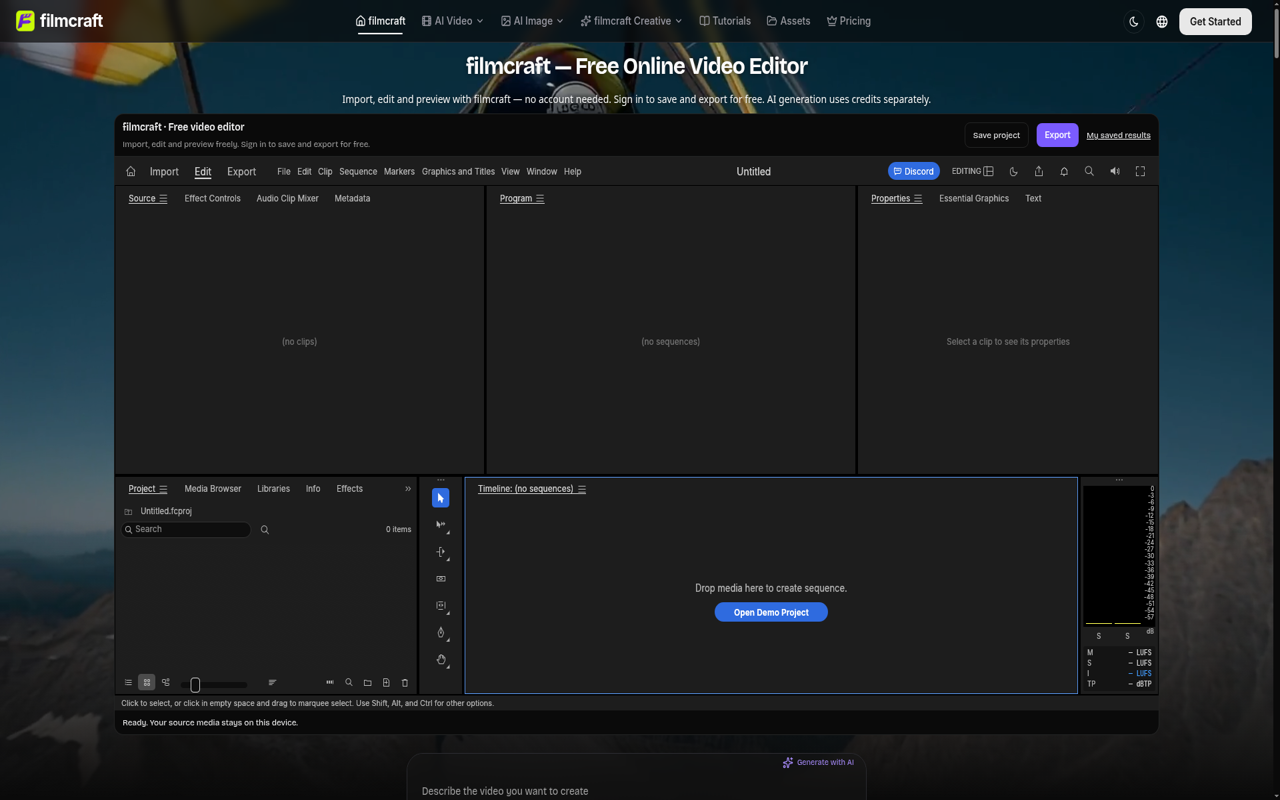
FilmCraft is a web-based video editing platform that combines a free browser-based timeline editor with optional generative AI tools. Built upon the open-source FilmCraft editing engine, it enables users to import video clips, audio tracks, and still images directly into their browser to assemble cuts, adjust pacing, balance sound, and export finished video files without requiring local software installation or initial account creation.
Key Features
- Timeline Video Editing: Cut, trim, split, and reorder video and audio clips across multiple tracks directly in the web browser.
- Audio and Color Controls: Adjust color grading, refine scene pacing, and balance dialogue against background music.
- Text and Typography: Add custom titles, overlays, and lower thirds directly into the video frame.
- Account-Free Editing with Cloud Saves: Start editing and previewing sequences immediately without registration; sign in to save project files and export videos.
- Local Media Privacy: Original imported media stays stored on the local device, while saved project files store timeline configurations and cut data.
- AI Generation Suite: Access optional AI models for text-to-video, image-to-video, video-to-video transformations, and video extension.
Use Cases
- Product Demos and Walkthroughs: Quickly trim screen recordings, add captions, and export clean presentations for software products.
- Social Media Content Creation: Edit short-form video sequences, adjust aspect ratios, and assemble footage for platforms like YouTube, TikTok, or Instagram.
- Educational and Tutorial Videos: Sequence instructional clips with structured headings, explanatory voiceovers, and synchronized audio tracks.
- AI-Augmented Video Production: Generate supplementary B-roll, concept animations, or stylistic variations using integrated AI generation tools before cutting them into a master sequence.
Frequently Asked Questions About FilmCraft
Is FilmCraft free to use?
Yes. The core timeline editor, previewing tools, and video exporting are free to use. Users can edit without an account and sign in to save projects or download exports without consuming credits. Separate paid credit plans apply only when using generative AI features.
Where does FilmCraft come from?
The web editor uses the open-source FilmCraft engine web release, operated independently with custom cloud project saving and integrated AI generation tools.
Does a saved project upload original footage to the cloud?
No. A saved project retains the timeline arrangement, cuts, and asset references. The raw source footage stays on the user's local device, so files must be kept locally to continue editing across different sessions or devices.
What are the export limits for web projects?
The platform supports project save files up to 10 MiB and direct browser-rendered exports up to 90 MiB.
Are all desktop editing features available in the browser version?
While the browser build shares the core engine, web environment constraints mean certain multi-threaded desktop operations or advanced platform plugins may not be available compared to native desktop editors.
Put your product in front of engaged visitors. Get your spot now!
Website
https://filmcraft.toolsPublish Date
November 19, 2026