
Flow AI Video
Flow AI Video is a web-based video generator that creates and refines short video clips from text prompts, still images, and reference frames.
What is Flow AI Video
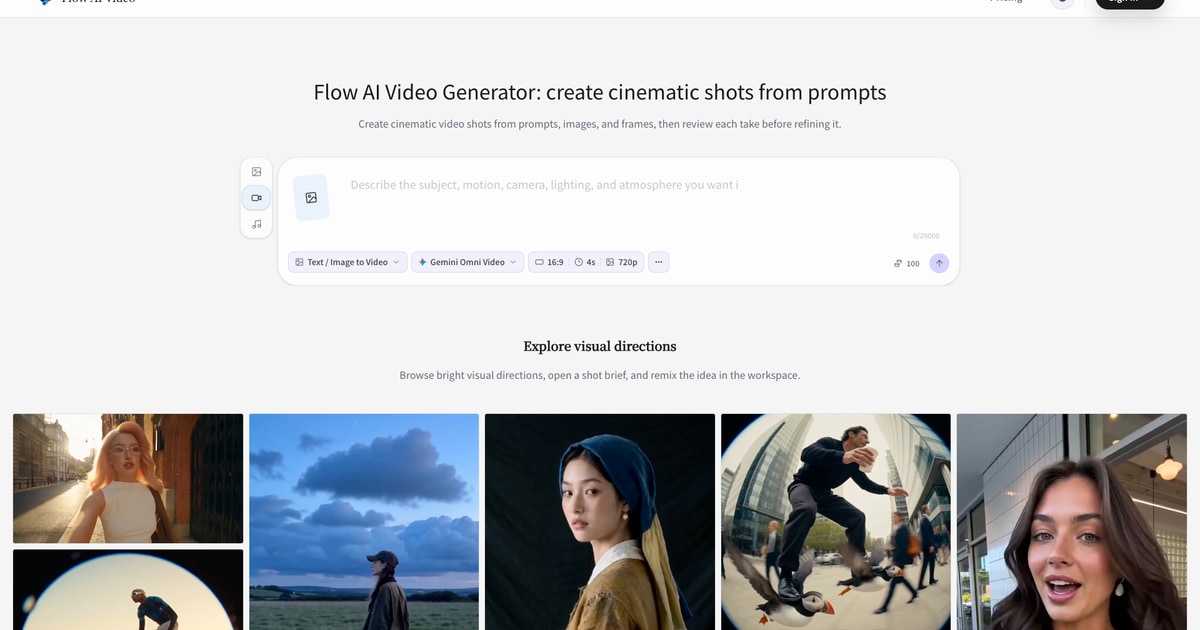
Flow AI Video is a browser-based AI video generation platform designed to turn text prompts, still images, and visual reference frames into short cinematic video drafts. The tool allows users to select from various AI video models—such as Veo 3.1, Kling, and Gemini Omni—to generate, review, and iterate on video shots. By treating generations as individual takes, creators can evaluate camera motion, scene composition, and visual continuity before refining prompts and settings.
Key Features
- Text-to-Video Generation: Generates video clips from descriptive prompts specifying subject, environment, action, mood, and camera directions.
- Image-to-Video and Frame References: Animates still images or uses starting/ending frames to anchor compositions and guide motion.
- Multi-Model Support: Accesses different video generation models suited for varied visual styles, speed, and fidelity requirements.
- Format and Aspect Ratio Controls: Configures video orientations and aspect ratios tailored for social feeds, storyboards, or landscape displays.
- Iterative Take Workflow: Enables side-by-side review of iterations to adjust prompt variables, camera paths, or settings systematically.
- Asset Library and History: Stores previous generations, prompts, and configurations for direct comparison and export.
Use Cases
- Content Creators: Producing short-form video clips, dynamic backgrounds, and social media visuals.
- Marketing Teams: Prototyping product teasers, visual concepts, and ad variations quickly.
- Visual Planners and Directors: Drafting shot lists, scene concepts, and visual storyboards during pre-production.
- Designers and Creative Teams: Testing art directions, style explorations, and motion concepts before final production.
Frequently Asked Questions About Flow AI Video
How does video generation work in Flow AI Video?
Users specify their shot requirements using a text prompt, an uploaded still image, or reference frames, choose an AI video model, and configure aspect ratio settings. The platform then renders the shot, allowing users to review the result and adjust variables for subsequent takes.
Which AI models are available?
Flow AI Video integrates multiple video generation engines, including models like Veo 3.1 Fast, Veo 3.1 Pro, Kling, and Gemini Omni Video, alongside complementary image-generation tools.
Can existing images be converted into video clips?
Yes, users can upload an initial image or reference frame and provide prompt instructions describing desired camera movement, pacing, or scene transitions.
How are generations billed?
Generations are billed via a credit system, where credit usage varies based on the chosen AI model, resolution, and generation parameters.
Can the generated videos be used commercially?
Commercial usage depends on the specific subscription tier, the underlying model terms, and whether the user owns all rights to the uploaded source materials.
Put your product in front of engaged visitors. Get your spot now!
Website
https://flowaivid.comPublish Date
November 17, 2026