Submit to GitHub: Free Public Repository Guide
How to submit to GitHub: create a free public repository, write a README that links to your product, add topics and a site link, and what its rules allow for promotion.
Quick facts
- Website
 github.com
- Domain Rating
- 97
- Platform
- Community
- Suitable products
- Developer tools, SaaS, AI tools
- Submission
- Free · Accepting submissions
- Pricing notes
- GitHub Free is $0 and includes unlimited public and private repositories; publishing a repository and README costs nothing. Paid Team/Enterprise plans add collaboration features and are not required to publish (pricing page checked 2026-11-25).
- Listing link (observed)
- README & site links: Nofollow (direct)
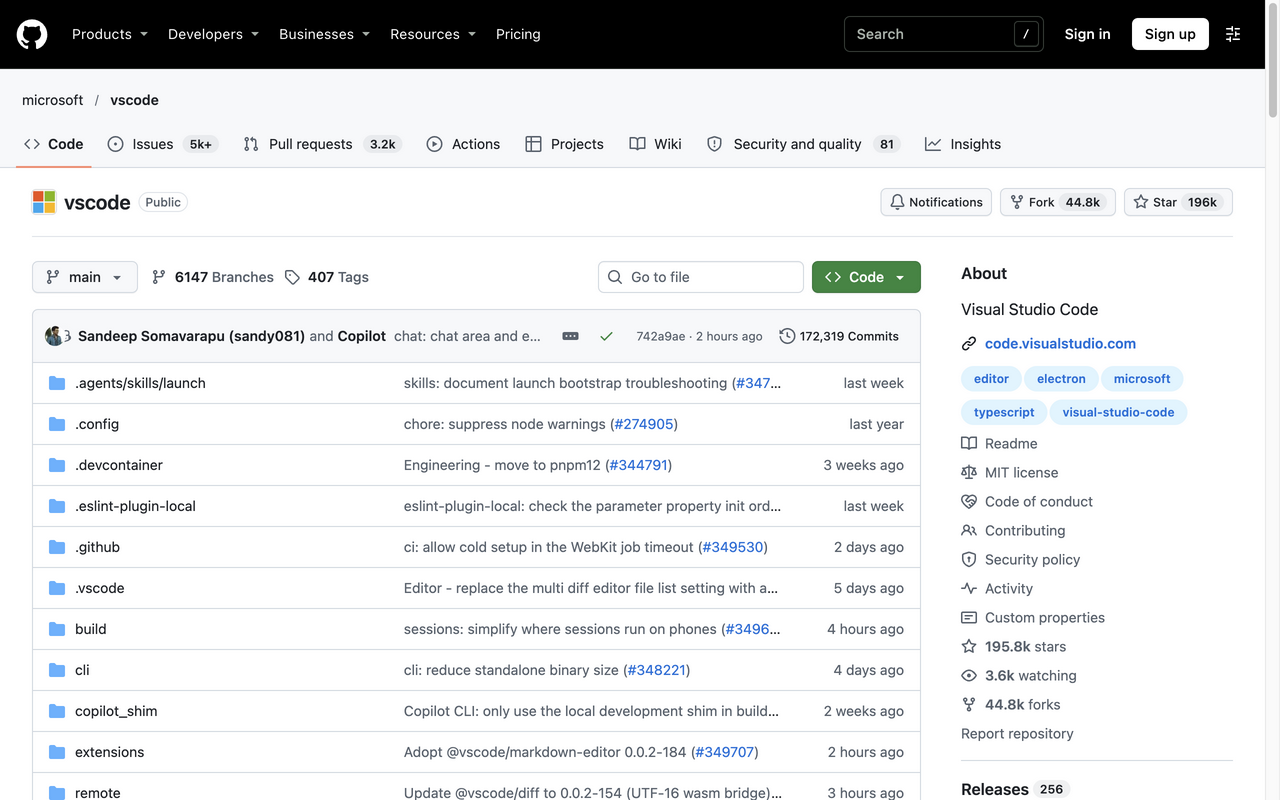
On two sampled repository pages, links in the README and the website link in the About sidebar pointed straight at the destination and carried nofollow. Links to other GitHub pages carried no rel. GitHub's robots.txt does not block repository pages for search crawlers, but nofollow is a hint to Google, not a guarantee of ranking credit.
Checked on a sampled listing (2026-11-25). One observation, not a guarantee for every listing.
Is GitHub right for your product?
GitHub is built around the repository: a public page that holds your files and their history. For a maker, the useful part is that a repository's front page is its README.
Well suited: a product with something to host there, such as source code, an SDK, a CLI, examples, or a starter template. GitHub's rules let you put links and promotional text in the README and the project description, as long as they relate to the project you host on GitHub.
A poor fit: a repository that is only an advertisement. The policy says advertising must not be the primary focus of what you post.
Review expectations
There is no review. The repository exists as soon as you click Create repository, and you can edit the README at any time.
What kind of link you get
Links to your site are nofollow. On the two repository pages we checked, links in the README and the website link in the About sidebar pointed straight at the destination and carried rel="nofollow". Links to other GitHub pages carried no rel attribute.
GitHub's robots.txt does not block repository pages for search crawlers, but nofollow is a hint to Google and not a promise of ranking credit. Treat the repository as a durable, public page people can find, not as a do-follow backlink.
Materials to prepare
- A GitHub account. Creating a repository requires you to be signed in.
- A repository name and short description. The name can be up to 100 characters. GitHub's search matches the name, description, and topics by default, so put the words people would search for there.
- A README covering what the project does, why it is useful, how to get started, where to get help, and who maintains it.
- Your product URL, for the README and the About sidebar.
- A license file, if you want the code to be open source.
Submission steps
- Sign up or sign in, then open the new-repository page (see Sources).
- Choose the owner, type a repository name and an optional description, and pick Public visibility.
- Switch on Add a README, then click Create repository.
- Open README.md, write the project introduction with your product link, and use Preview before you commit the change.
- Next to About, click the settings icon to add topics and your site link, then save.
You can also add a profile README. Create a public repository named after your username with a README.md at its root, and that README appears on your profile page.
Costs and promotion, kept separate
Creating a repository and publishing a README are free on GitHub Free, which includes unlimited public repositories. Paid plans add collaboration features and are not required to publish.
Common mistakes
- Publishing an ad instead of a project. Links and promotional text must relate to the project you host, and advertising must not be the primary focus.
- Leaving the name, description, and topics generic. GitHub's default search does not look inside READMEs.
- Expecting a do-follow link. README and site links were
nofollowon the pages we checked. - Calling code open source without a license. Without a license file, default copyright applies and others may not reuse the code.
- Automating stars or follows. GitHub lists automated starring or following as rank abuse.
- Advertising in other people's repositories. The rules forbid it, such as monetized or bulk content in issues.
Sources
- About repositories, Creating a new repository, and the Quickstart for repositories (what a repository is, the creation steps, and the README on the front page; checked 2026-11-25)
- About the repository README file (what a README should cover; checked 2026-11-25)
- Managing your profile README (when a profile README is shown; checked 2026-11-25)
- Searching for repositories and Classifying your repository with topics (what search covers and how to add topics; checked 2026-11-25)
- GitHub Acceptable Use Policies (advertising, spam, and inauthentic activity; checked 2026-11-25)
- Licensing a repository (what a missing license means; checked 2026-11-25)
- Pricing and robots.txt (the Free plan; repository pages are not blocked; checked 2026-11-25)
- Checked repositories: microsoft/vscode and firecrawl/firecrawl (README and About site links carried
nofollow).
This guide reflects GitHub's official pages and observed link attributes as of the review date. The sign-up page and the signed-in forms were not inspected.
Ready to submit to GitHub?
Jump to the official submission page when your launch materials are ready — it opens in a new tab, so this guide stays beside it.
Submit on GitHub