
Vocal Remover
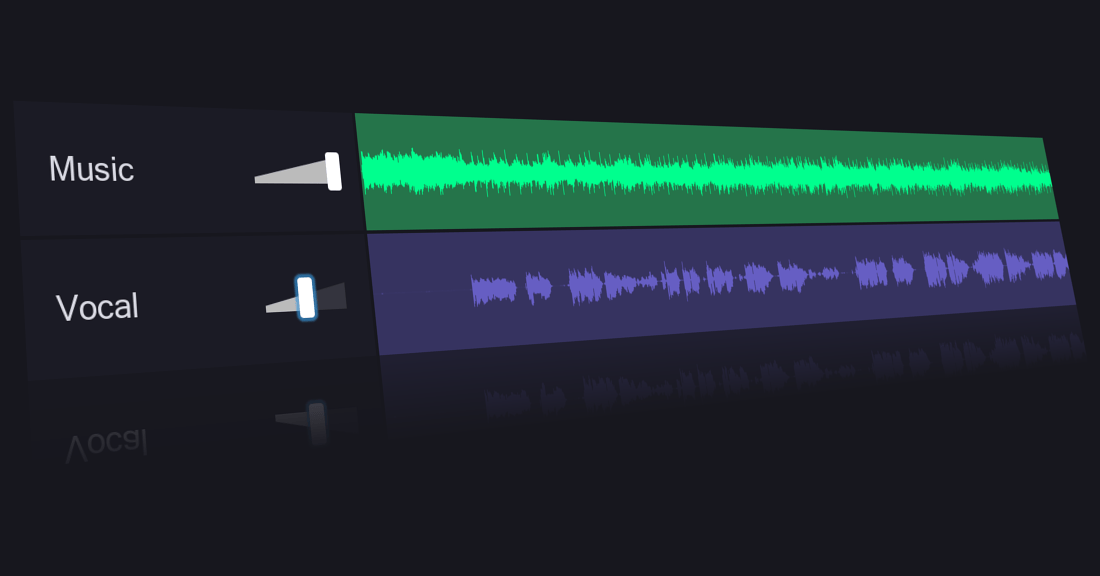
Vocal Remover is a free AI web tool that separates vocal and instrumental tracks from songs and provides audio editing utilities.
What is Vocal Remover
Vocal Remover (vocalremover.org) is a powerful, browser-based audio processing platform that uses advanced artificial intelligence to separate vocals and instruments from any music track. Without requiring software installation or sign-ups, users can upload a song and instantly extract clean acapella stems or karaoke backing tracks in seconds. In addition to vocal extraction, the platform hosts a suite of built-in audio utilities including pitch shifting, tempo adjustments, audio trimming, and key/BPM detection.
Key Features
- AI Vocal Separation: Automatically isolates vocals and instrumental accompaniment into two separate tracks using high-precision machine learning algorithms.
- Stem Splitter: Breaks down full songs into multi-track components such as vocals, bass, drums, and individual instruments for remixing.
- Pitch & Tempo Changer: Allows independent adjustment of musical key and playback speed without altering audio quality or pitch distortion.
- Key and BPM Finder: Analyzes uploaded songs to accurately detect the tempo (BPM) and musical key/scale.
- Audio Cutter and Joiner: In-browser tools to trim audio clips, create smooth fade-ins and fade-outs, or merge multiple files together.
- Karaoke Recorder: Built-in voice recorder that lets users sing or record speech directly over extracted backing tracks.
Use Cases
- Karaoke & Backing Tracks: Singers and event organizers can strip lead vocals from original songs to generate high-quality backing tracks for live performances or karaoke nights.
- Remixing and DJing: Music producers and DJs can extract acapellas and instrument stems to produce mashups, remixes, and bootlegs.
- Music Learning & Practice: Musicians and students can isolate specific instruments like basslines or guitar solos and slow down difficult passages to practice.
- Content Creation: Podcasters, YouTubers, and video editors can clean up background music or extract speech clips for video production.
Frequently Asked Questions About Vocal Remover
Is Vocal Remover free to use?
Yes, Vocal Remover offers free daily audio processing directly in your browser without requiring registration.
Which audio file formats are supported?
Vocal Remover supports most popular audio file formats including MP3, WAV, FLAC, and OGG.
Does Vocal Remover store or retain uploaded audio files?
Uploaded files are processed securely in the cloud and are automatically deleted after processing to protect user privacy.
Can I change song tempo without changing pitch?
Yes, the integrated Pitch & Tempo Changer lets you slow down or speed up a track while preserving its original key.
Put your product in front of engaged visitors. Get your spot now!
Website
https://vocalremover.orgPublish Date
November 8, 2026